Delete Your Account
You can delete your Clapd account and all associated data directly from the app. Here's how:
- Open the Clapd app on your device
- Tap Profile in the bottom navigation bar
- Scroll down to the Danger Zone section
- Tap Delete Account
- Confirm the deletion
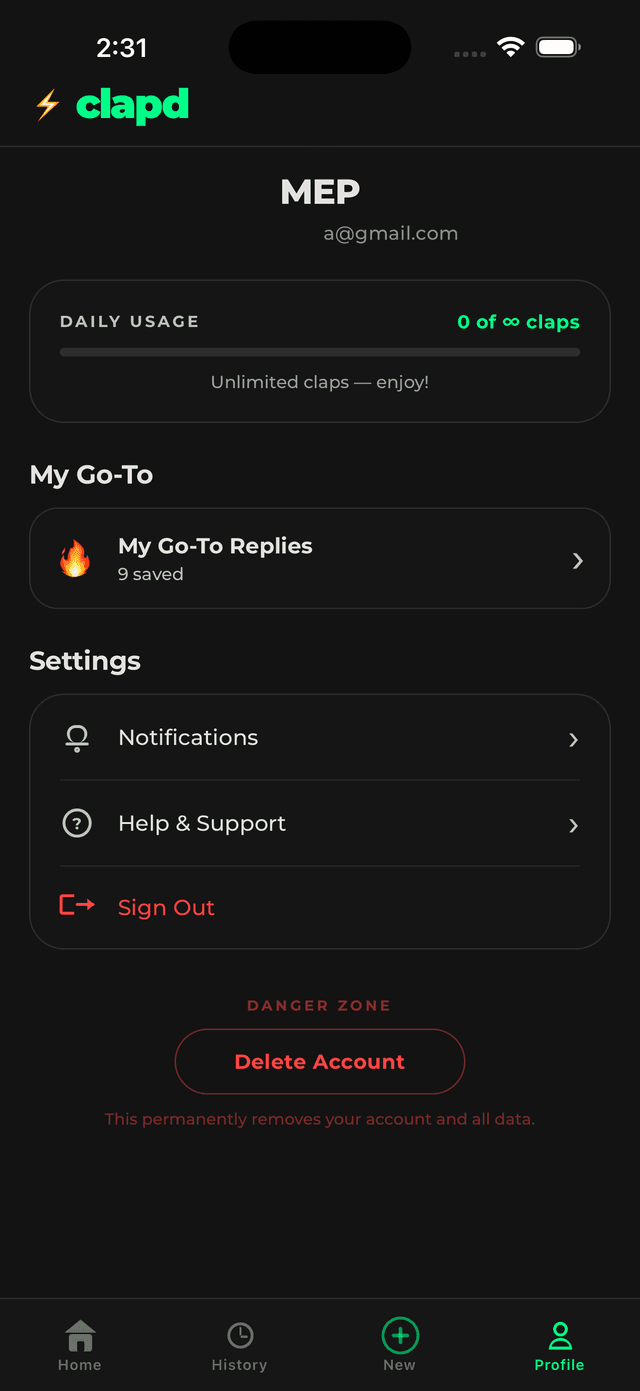
Once deleted, your account and all associated data — including your session history, saved replies, and contacts — will be permanently removed immediately.
If you need help, contact us at support@clapd.app